how to use provenfit.
Open Provenfit
Go to
localhost:7586. If something is missing, such as a model key, the first page says what it is and the line to add to.env. Add it, rundocker compose up -dagain, and reload.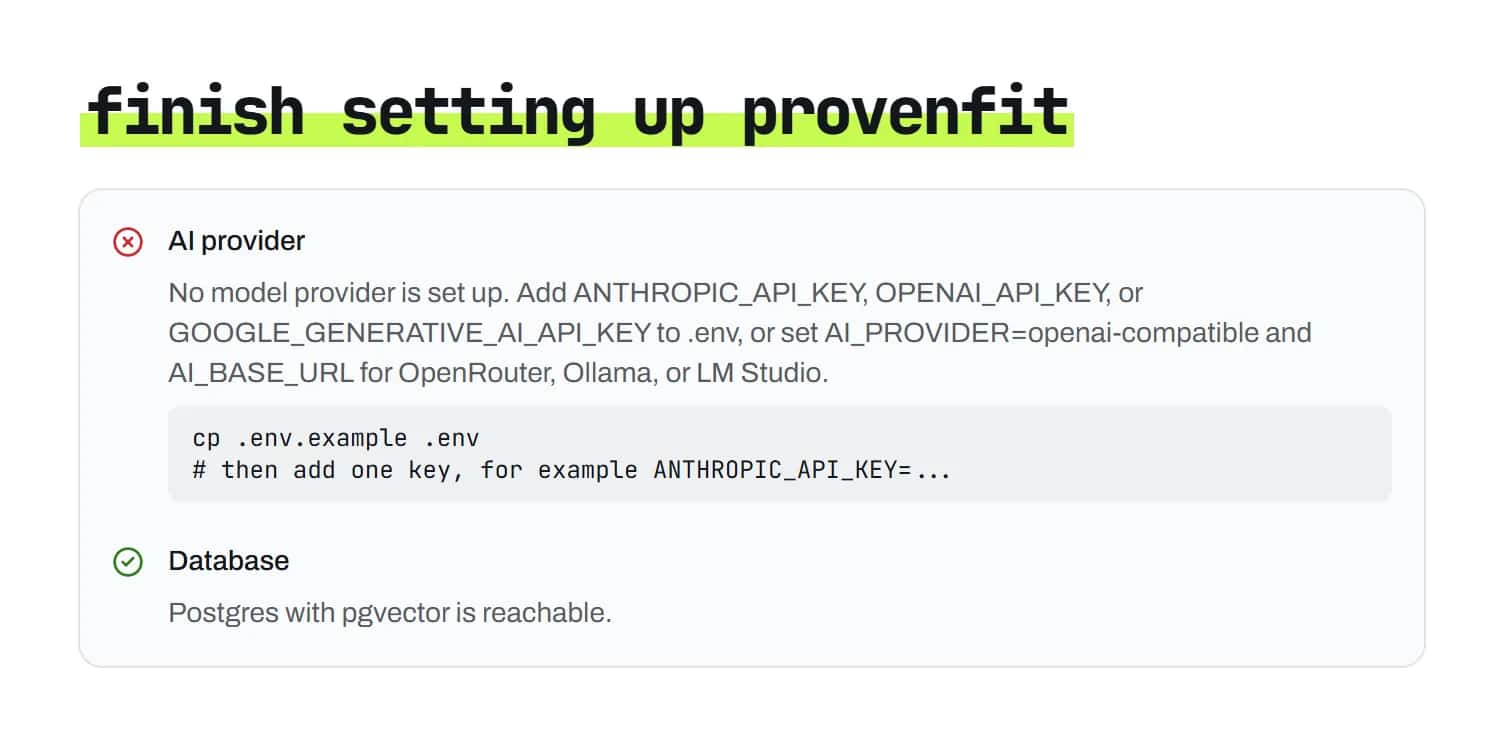
Add your resume
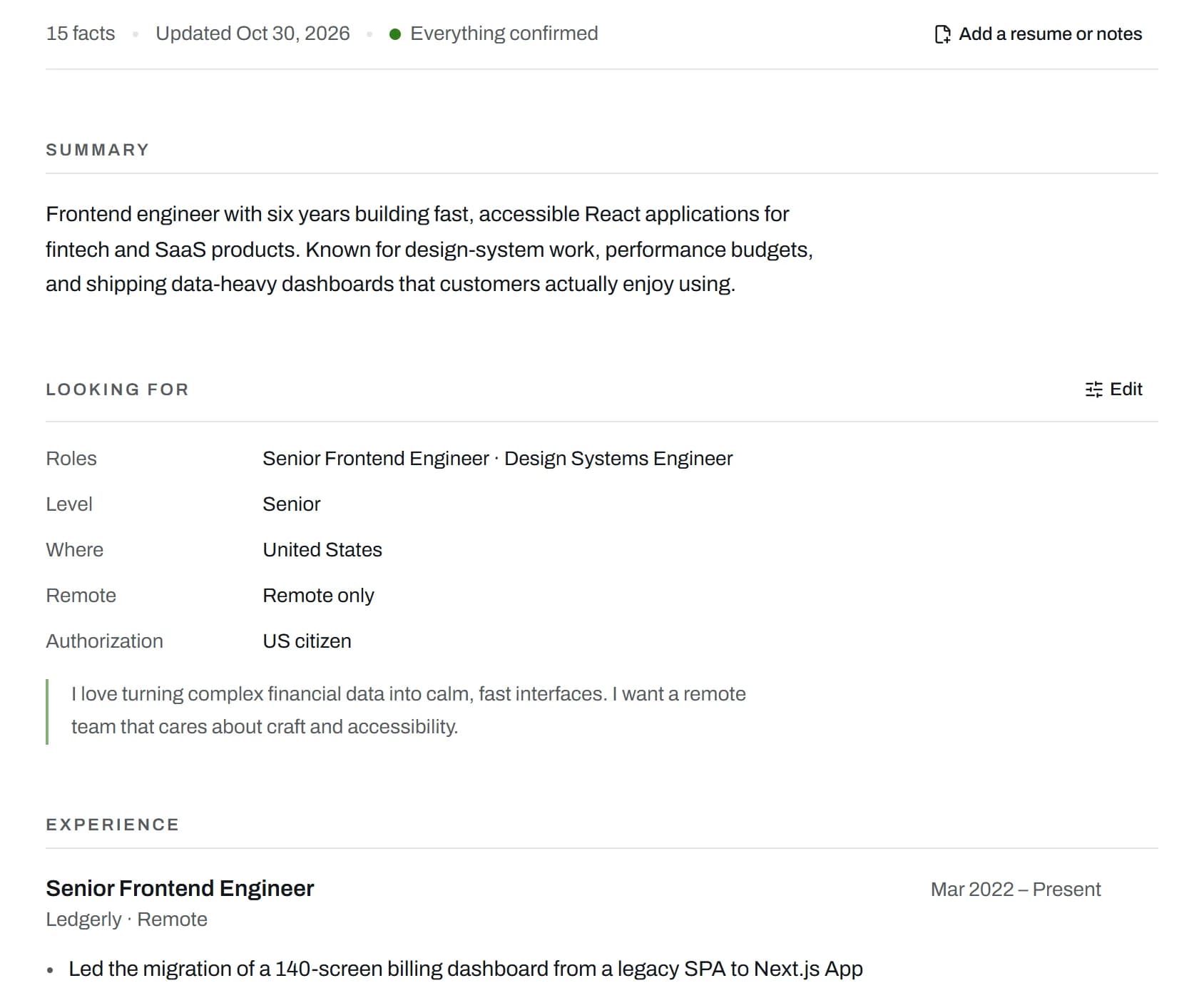
Open User information and choose Add a resume or notes. Upload your resume as a PDF, Markdown or plain text file, and any notes about yourself. Provenfit reads them into facts, the short statements every review and draft has to cite.
Check your facts
The same page shows what Provenfit took from your files: your summary, every role, project and skill. Use Edit under Looking for to set the roles, level and places you can work.
If something is wrong or out of date, tell the chat, like “I left Acme in March”. It changes just that fact and shows you the before and after.
Find jobs
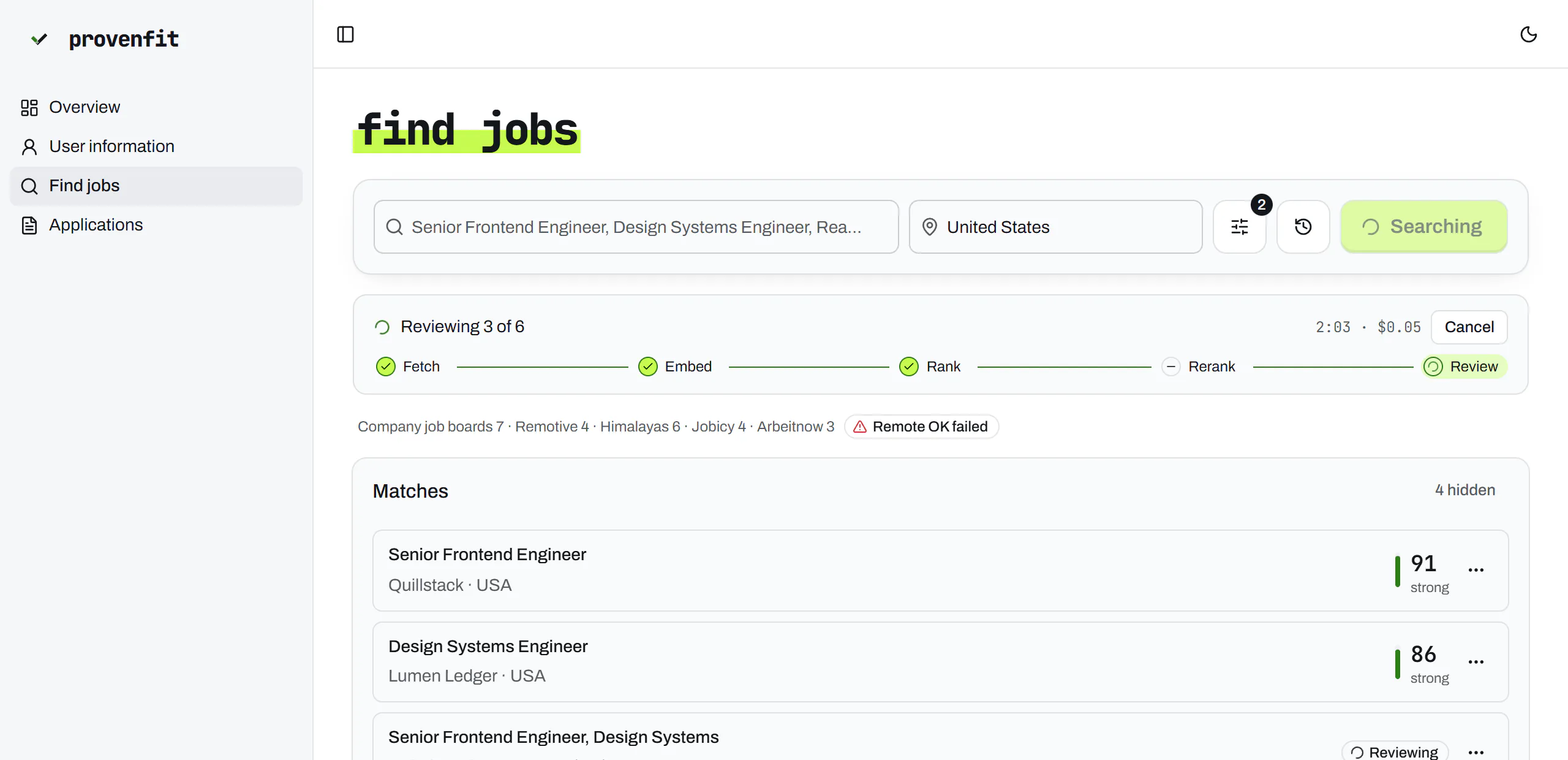
Open Find jobs and press Find jobs. The search box starts with roles from your profile; type your own to replace them for one search.
The page shows each stage as it works. You can leave: the search keeps running, the sidebar shows it, and Cancel stops it.
Read the list
You get every posting you could take, ranked. The best ones come with a fit score; open one to see each requirement marked met, partly met or missing, with the line from your resume behind it. Any posting without a score has a Review button.
Write an application
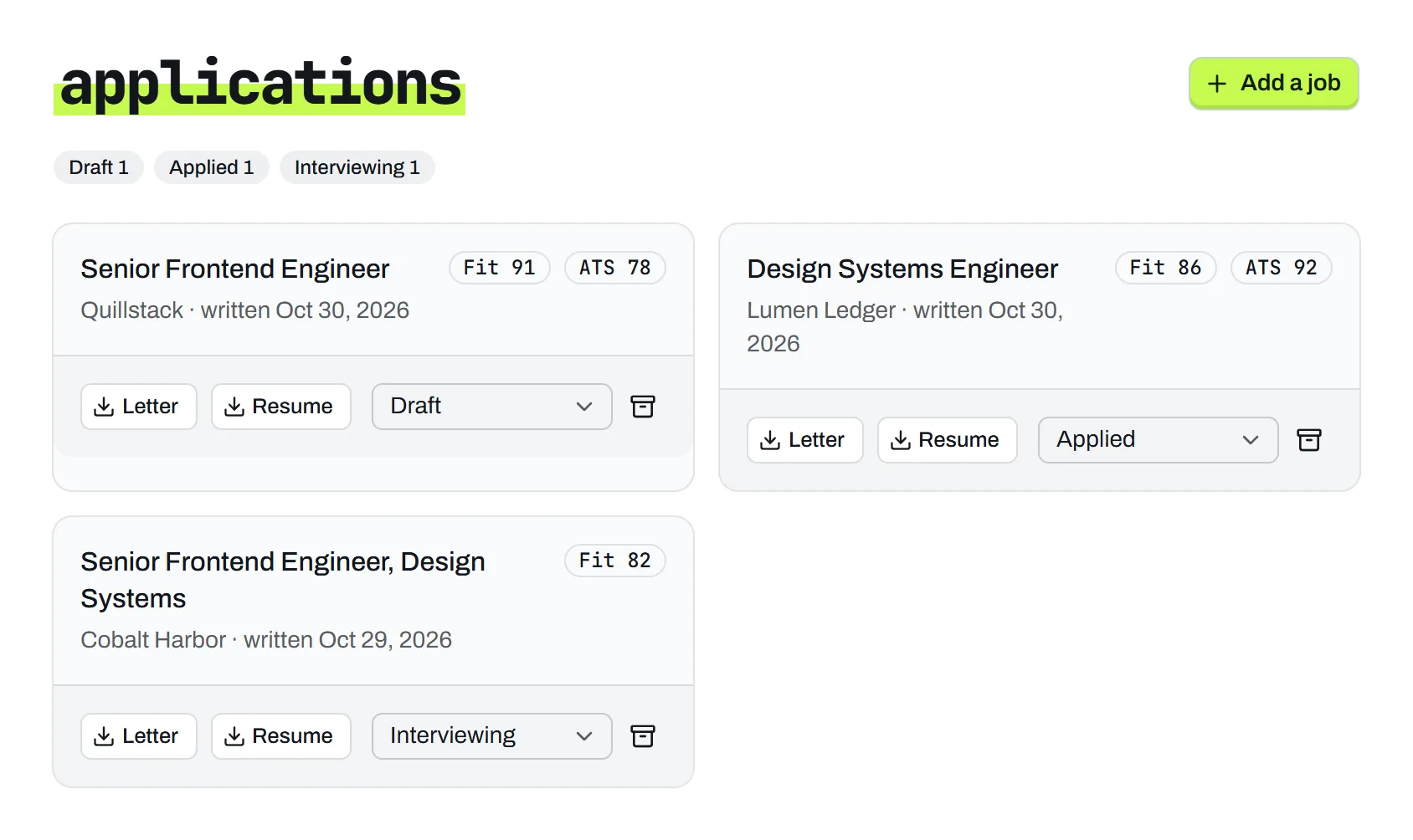
On a match you like, choose Write application. Provenfit drafts a cover letter and a one-page resume for that job, and lists it on the Applications page.
Read the checks
The Claim check lists anything in the letter or resume your facts don't support, with the reason. Edit the letter and press Recheck.
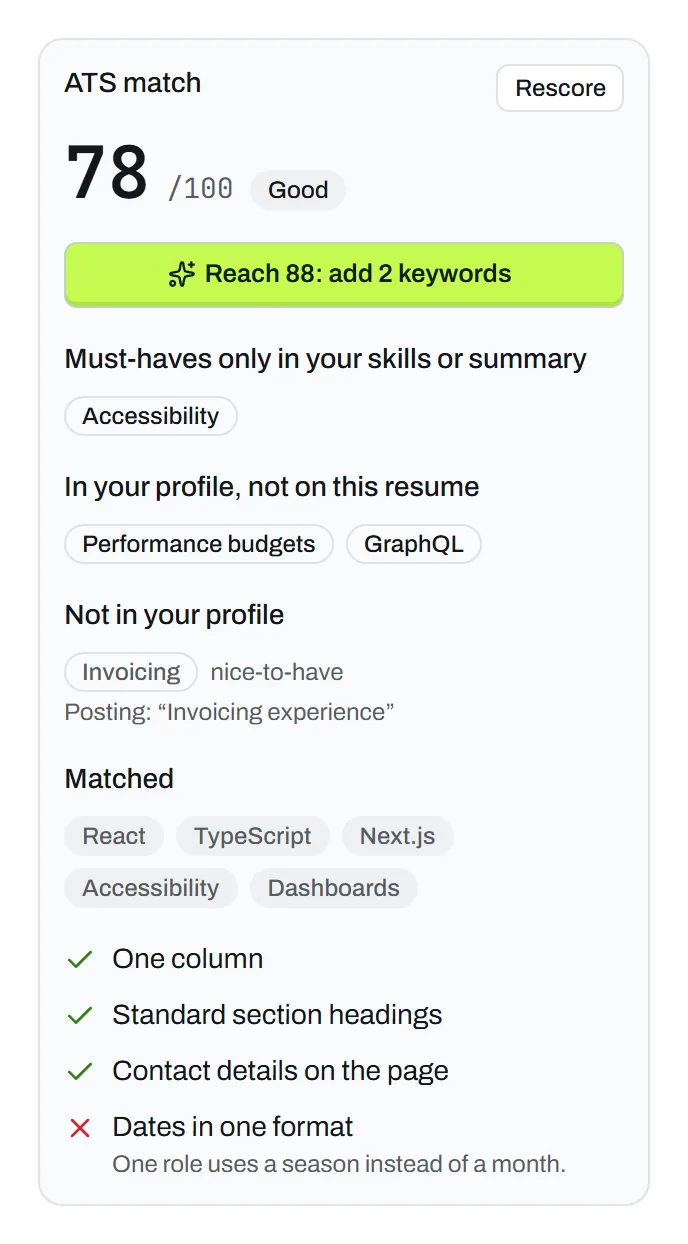
The Tailored resume tab has the ATS match: a score out of 100, read from the PDF, with the posting's keywords found and missing. When your facts could reach at least 10 points more, a button like Reach 88: add 2 keywords makes small edits toward it, each one checked too.
Download and track
Download the Resume PDF and the letter, or Copy the letter into an email or a form. You send it yourself. Then set its status as you go: draft, applied, interviewing, offer or closed.
Turn on the daily search
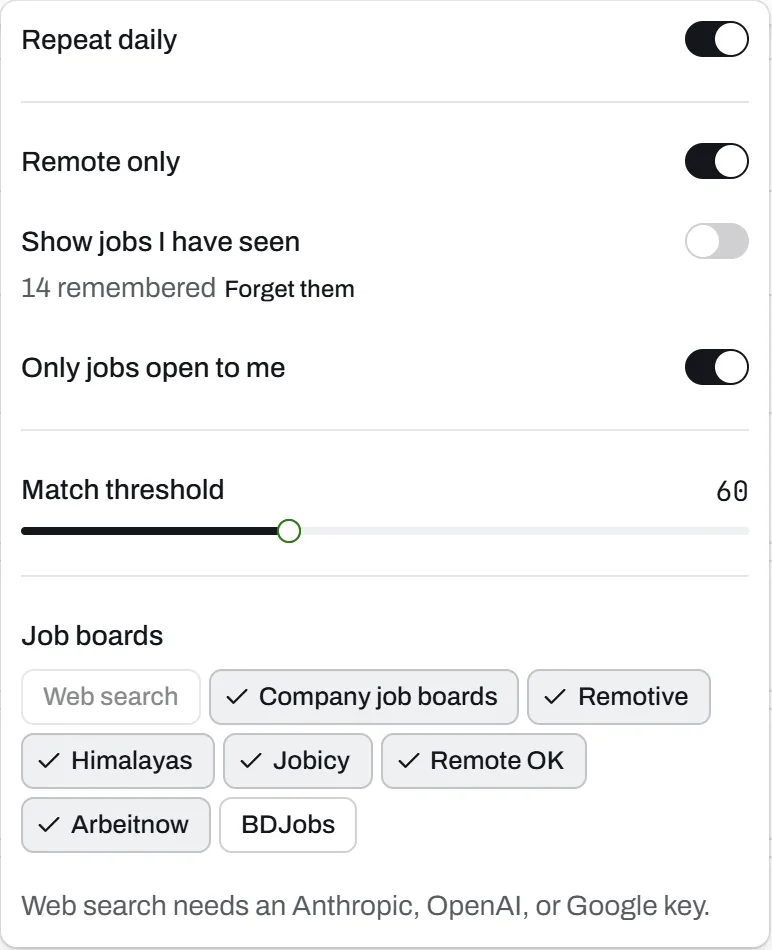
Optional. Open the search settings next to the search box and turn on Repeat daily. Provenfit runs that search once a day and shows only postings you haven't seen, marked New on Find jobs. It can also send a phone notification through ntfy, or a Windows one.


Not installed yet? Install it first. Stuck on something? The questions cover what a first run hits.